Streamline Your Next Pitch with the Issues PowerPoint Template
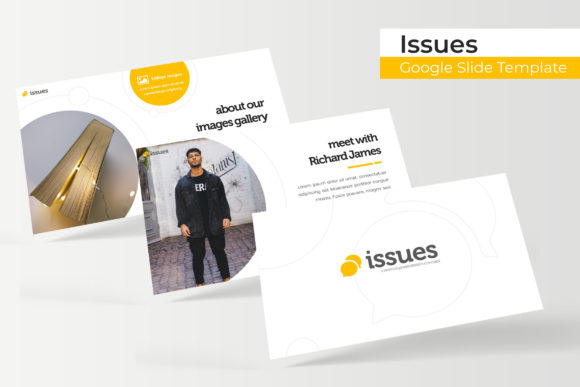
You have a brilliant idea, a complex project to manage, or a quarterly report that needs to impress stakeholders. The content is solid, the data is accurate, but staring at a blank presentation slide can feel paralyzing. The default templates feel overused, and the thought of spending hours aligning text boxes and adjusting color palettes is exhausting. This is where the right design asset changes the game. The Issues PowerPoint Template isn't just a collection of slides; it's a comprehensive visual system designed to transform your narrative into a polished, professional, and engaging experience for your audience.
A Visual System Built for Clarity and Impact
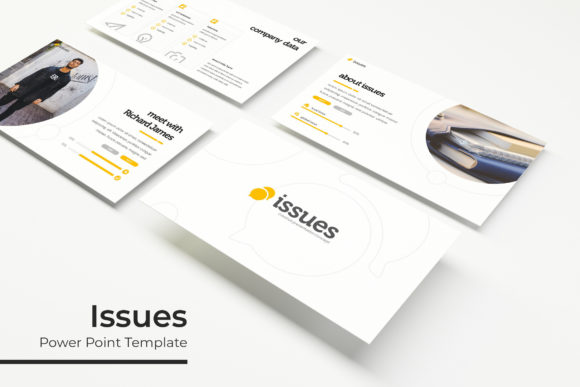
What makes a presentation effective? It's the seamless blend of information and design. Cluttered slides lose attention, while overly simplistic ones can fail to convey nuance. The Issues template strikes a balance with a library of over 150 handcrafted slides. Each slide is built on a foundation of master slides, ensuring pixel-perfect consistency throughout your deck. The graphics are not just decorative; they are editable and resizable, meaning you can adjust every element to fit your specific message without compromising quality.
One of the standout features is the inclusion of five premade color palettes. Each color scheme is carefully curated, offering 30 dedicated slides per variation. This isn't just about changing the accent color; it's about providing a complete visual language for different moods, industries, or branding guidelines. Whether you're presenting a tech startup's growth metrics or a non-profit's community impact report, you have a ready-made aesthetic that feels intentional and cohesive. The drag-and-drop picture placeholders further simplify the process, allowing you to insert your own visuals with a single click, maintaining the layout's integrity while personalizing the content.
Practical Applications for Real-World Projects
The true value of a design asset lies in its versatility. This template moves beyond the boardroom. For small business owners and entrepreneurs, it's a tool for building brand identity. Use the consistent slide designs to create a branded template for all internal and external communications, reinforcing recognition and professionalism. The section break slides are perfect for segmenting different aspects of a business plan or a marketing strategy, guiding your audience through a logical flow.
Content creators and marketers will find immense utility in the gallery and portfolio slides. Showcase campaign results, social media graphics, or product packaging designs in a clean, organized manner that highlights the work itself. The infographic sections are particularly valuable for translating complex data—like audience demographics, sales funnels, or project timelines—into easily digestible visual stories. Instead of presenting a spreadsheet, you present an insight. This template becomes a central hub for your visual communication, adaptable for investor pitches, client workshops, team training sessions, or even webinar visuals.
Enhancing Your Brand's Visual Consistency
A fragmented visual presentation can undermine even the strongest message. When fonts shift erratically, colors clash, and layouts vary from slide to slide, it creates a subconscious sense of disorder for the viewer. The Issues template is engineered to prevent this. Every element, from the typography to the iconography, is designed to work in harmony. By using this as your foundational design system, you ensure that every presentation you create feels connected to your broader brand identity.
This consistency extends to the included fonts. The readme file provides direct links to download the free fonts used in the template, removing a common barrier for creators. You're not left guessing what font was used or scrambling to find a similar one. This attention to detail means you can replicate the exact look and feel of the preview, saving time and eliminating frustration. The result is a suite of presentations that look like they were crafted by a dedicated design team, elevating your professional image.
Tips for Maximizing Your Template
To get the most out of this asset, start by aligning it with your project's goals. Before you even open the file, consider the core message of your presentation. Are you aiming to educate, persuade, or report? This will guide your slide selection. Don't feel obligated to use every single slide; curate the ones that best serve your narrative. The template is a toolkit, not a rigid script.
Experiment with the color variations. Sometimes a palette you wouldn't initially choose can surprisingly energize your content or better suit the industry you're addressing. Test different combinations with your own imagery and text. Remember, the graphics are fully editable. You can change the color of individual icons, adjust the size of charts, or modify shapes to better represent your unique data points. This flexibility is what separates a premium template from a static download.
Finally, always review the final presentation in slideshow mode. Check for readability, flow, and pacing. Ensure that any text you've added is legible against the background and that animations or transitions (if used) enhance rather than distract. By treating the template as a flexible starting point rather than a finished product, you unlock its full potential to create presentations that are not only beautiful but also strategically effective in achieving your communication goals.