Mastering Visual Storytelling with the Louvre Keynote Template
Imagine walking into a gallery where every frame is perfectly spaced, every color palette harmonious, and every detail curated to draw your eye exactly where it needs to go. That is the feeling a professional presentation should evoke. For entrepreneurs, designers, and content creators, the struggle to build a slide deck that looks both beautiful and structured is real. We often spend hours tweaking alignments and fighting with default software layouts, only to end up with a result that feels "almost" right. This is where a robust design asset changes the game. The Louvre Keynote Template isn't just a collection of slides; it is a comprehensive visual system designed to bridge the gap between a rough idea and a polished, professional narrative.
A Visual System Built for Flexibility
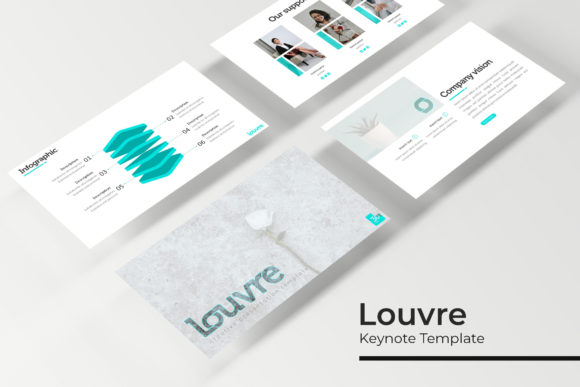
What sets this template apart in a crowded market of design assets is its sheer volume and adaptability. We are looking at over 150 total slides, but the real genius lies in how they are organized. The package includes five premade color schemes, with 30 distinct slides dedicated to each variation. This structure solves one of the biggest headaches in branding: visual consistency. Whether you are pitching a new client, presenting quarterly reports to stakeholders, or teaching a workshop, you can select a color story that aligns with your specific brand identity without needing to manually recolor every element.
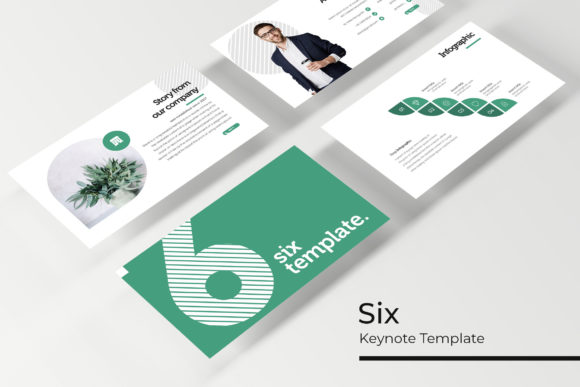
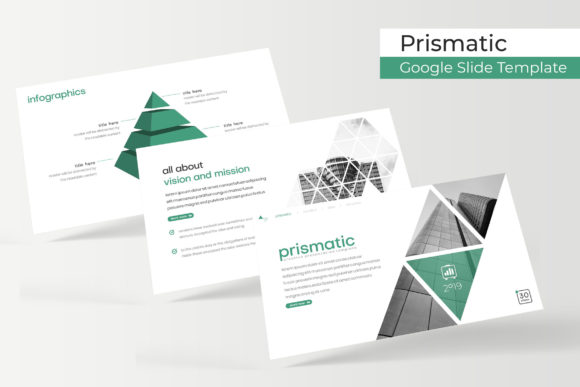
The design style leans toward modern typography and clean aesthetics. It avoids the clutter that plagues many generic templates. Instead, it focuses on "pixel-perfect illustrations" and "handcrafted infographics." In practical terms, this means when you drop your data into a chart or place a statistic on a slide, it doesn't look like a spreadsheet; it looks like a designed graphic. For a marketing professional or a brand strategist, this distinction is crucial. It signals to your audience that you value quality and attention to detail—traits that transfer directly to how they perceive your product or service.
Practicality Meets Design: Real-World Applications
A template is only as good as its utility. The Louvre Keynote Template is built on a "Master Slides" architecture with picture placeholders that support drag-and-drop functionality. This is a massive time-saver for small business owners or content creators who may not be experts in presentation software. You don't need to manually crop images or wrestle with aspect ratios. You simply drag your photograph into the designated area, and the template handles the rest.
The applications for this versatility are extensive:
- Brand Identity Presentations: If you are a designer presenting a new logo design or packaging concept to a client, the section break slides allow you to clearly delineate between the "Problem," the "Solution," and the "Visual Identity."
- Portfolio Showcases: For creative agencies or freelancers, the gallery and portfolio slides provide a clean canvas to let your previous work shine without competing design elements.
- Marketing Pitches: Entrepreneurs seeking funding can use the handcrafted infographics to visualize market data, user growth, or financial projections in a way that is easy to digest.
- Editorial Layouts: Bloggers and publishers can adapt the slides to create visual mood boards or editorial layouts for digital lookbooks.
The inclusion of 5 PPTX Widescreen files ensures that your presentation looks crisp on modern monitors and projectors. The widescreen aspect ratio is the standard for professional environments, offering more horizontal real estate for side-by-side comparisons and detailed timelines.
Elevating Your Brand Through Typography and Structure
Visual communication is about more than just pretty pictures; it is about hierarchy. The Louvre template comes with a recommended font pairing (with free download links included in the readme file), which is a thoughtful touch. Choosing the right typeface is often the most difficult part of design for non-designers. By providing a curated recommendation, the template ensures that your headings, subheadings, and body text work in harmony. This creates a seamless reading experience that keeps your audience engaged.
Good typography improves readability, but it also conveys personality. A heavy sans-serif header might suggest strength and modernity, while a lighter weight might suggest elegance. The template’s design allows these font styles to breathe, ensuring that your text isn't just read, but felt. For those building a brand identity, this consistency in typeface usage across presentations helps build recognition. When your slides match the typography of your website, social media graphics, and print materials, you create a cohesive ecosystem that strengthens your brand's presence.
Streamlining Your Workflow
One of the most overlooked features of the Louvre Keynote Template is its scalability. The graphics are fully resizable and editable. This means a chart created for a quarterly report can be scaled up for a poster, or an icon used in a presentation can be extracted and used on a merchandise mockup. This "resizable" nature turns the template from a single-use presentation file into a library of design assets.
For the busy creative juggling multiple projects, this efficiency is invaluable. Instead of starting from a blank canvas every time you need a visual aid, you have a foundation of 150+ professionally designed layouts at your fingertips. Whether you are putting together a quick proposal, designing a slide deck for a conference, or creating internal training materials, the workflow is accelerated. You spend less time on the mechanics of software and more time on the strategy of your message.
Final Thoughts on Professional Presentation
In the end, a presentation is a tool for persuasion. The Louvre Keynote Template provides the structure and aesthetic polish required to make that persuasion effective. It removes the technical barriers that prevent great ideas from looking great. By utilizing the premade color variations, handcrafted infographics, and intuitive drag-and-drop placeholders, you ensure that your final product reflects the professionalism of your brand. It is a practical investment for anyone looking to upgrade their visual communication, ensuring that the first impression you make is exactly the one you intended.