Spocath Keynote Template: Crafting Visual Narratives
Creating a presentation that truly captivates an audience requires more than just bullet points and basic charts. It demands a cohesive visual story, a rhythm of design that guides the viewer's eye and reinforces your message. This is where a thoughtfully constructed Keynote template becomes an invaluable asset for professionals across industries. The Spocath Keynote Template is designed to be that foundational tool, offering a robust framework for anyone from entrepreneurs pitching investors to marketers outlining a new campaign strategy. Its value lies not in flashy gimmicks, but in its structured versatility, allowing your content to take center stage within a polished, professional environment.
A Framework Built for Clarity and Impact
At its core, the Spocath template is built on principles of modern presentation design. With over 150 total slides organized into five distinct premade color palettes, it provides a substantial library of layouts. Each color theme includes 30 meticulously crafted slides, ensuring you have specific options for different content types. This isn't just about changing background colors; it's about having a consistent design language across various slide purposes. You'll find dedicated layouts for section breaks, which are crucial for pacing your narrative, as well as specialized gallery and portfolio slides perfect for showcasing visual work. The inclusion of handcrafted infographics within PowerPoint means you can present data and processes with custom-designed visuals that feel integrated, not pasted on.
Practicality is a key consideration in the template's design. Every graphic element is resizable and editable, and the use of picture placeholders with drag-and-drop functionality streamlines the process of adding your own imagery. Based on master slides, any global change you make—like adjusting a font style or accent color—can be applied consistently across your entire deck. This master slide architecture is fundamental for maintaining visual consistency, which is a cornerstone of strong brand identity. For a small business owner or a startup founder, this means you can adapt the template to your brand guidelines once and then focus entirely on your content, confident that every slide will look cohesive and intentional.
From Pitch Decks to Brand Guidelines
The applications for a template of this nature extend far beyond a standard business presentation. Consider the entrepreneur developing a brand identity system. The Spocath template, with its clean aesthetic and structured layouts, can serve as the presentation vessel for showcasing a new logo, color palette, typography selections, and brand voice. The portfolio slides become ideal for displaying logo variations and mockups on packaging or merchandise. The infographic sections can visually communicate brand values or the customer journey map. In this context, the template acts as a dynamic brand guidelines document, a living asset that can be updated and presented to partners, investors, or new team members.
For content creators and marketers, the template transforms into a powerful tool for editorial planning and campaign strategy. Imagine outlining a quarterly content calendar using the organized slide layouts, or presenting a social media strategy with dedicated slides for platform breakdowns, content pillars, and performance metrics. The gallery slides are perfect for previewing upcoming blog post graphics or social media post series. Because the graphics are pixel-perfect and the design is clean, it ensures that your strategic ideas are communicated with the same level of professionalism you demand from your final output. It helps bridge the gap between planning and execution, providing a visually engaging way to align your team or present to clients.
Practical Integration into Your Workflow
Adopting any new design asset requires a thoughtful approach to ensure it adds value rather than complexity. When integrating the Spocath Keynote Template, start by selecting the color theme that best aligns with your project's mood or your existing brand palette. The five premade options offer a range of tones, from professional neutrals to more vibrant choices. Next, dive into the master slides. Familiarize yourself with the placeholder structure and how the font styles are set up. The included readme file and free font download link are essential here—using the intended typeface ensures the design's integrity. Take time to test how your own content fits within the text boxes and how your images interact with the layout placeholders.
A common challenge in presentation design is font pairing. While the template comes with a recommended font, understanding why it works is valuable. The chosen typeface likely balances readability with character, serving as a reliable workhorse for body text while potentially offering stylistic contrast for headers. When you need to deviate or create your own pairings for other projects, look for typefaces that share similar proportions or x-heights. A modern sans-serif for headlines can pair beautifully with a clean, readable serif for body text, creating a dynamic yet harmonious hierarchy. Always prioritize readability, especially for slides that will be viewed on screens of varying sizes or projected in large rooms.
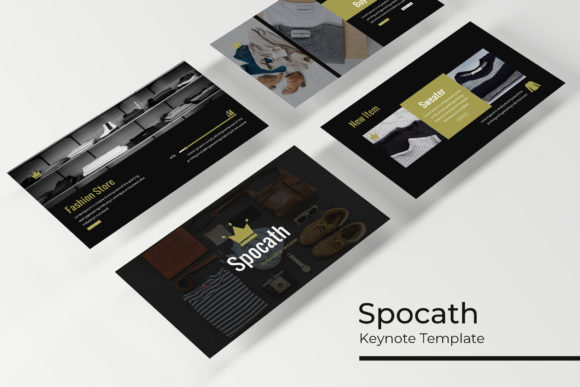
Remember that the template is a starting point, a sophisticated skeleton. The photographs and pictures used in its preview are for illustration only and are not included, which is standard practice. This encourages you to bring your own visual assets—your team photos, your product shots, your custom graphics. This is where your unique brand story truly comes to life. By combining the template's structured design with your authentic content, you create a presentation that is both professionally polished and genuinely representative of your work. Whether you're crafting an investor pitch, a workshop curriculum, or a creative portfolio review, having a reliable, adaptable Keynote template like Spocath in your toolkit saves time, ensures quality, and lets you focus on what matters most: your message.