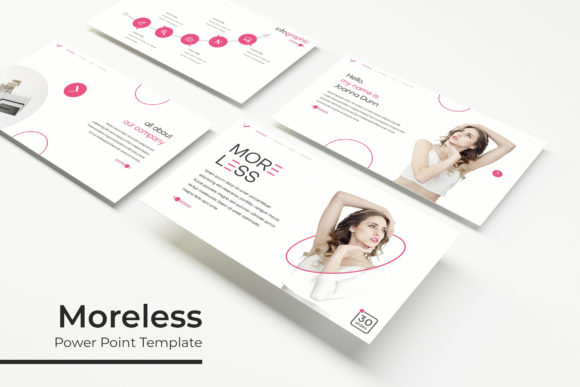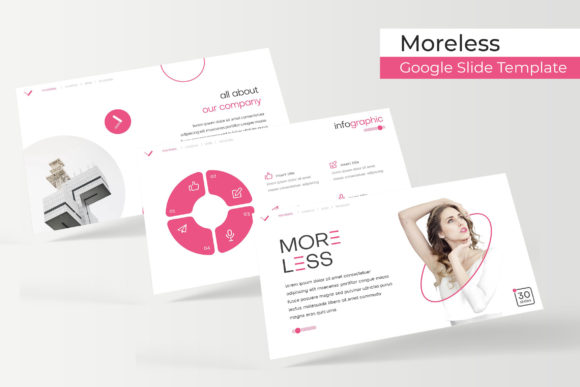
Moreless: A Sleek Google Slides Template for Modern Presentations
You've been there. It's late, the presentation is due tomorrow, and you're staring at a blank Google Slides deck. The default layouts feel tired, the stock icons look generic, and the whole thing lacks the polished, professional edge you're aiming for. This is the exact moment a resource like the Moreless Google Slide Template becomes invaluable. It's not just a collection of slides; it's a foundational toolkit designed to save you hours of design work while ensuring your final presentation looks consistently sharp and intentional.
At its core, Moreless is built on a philosophy of clean, modern design. It strips away the visual clutter that can distract an audience, focusing instead on clear hierarchy, ample white space, and impactful typography. The name itself hints at this approach: "more" of what works, "less" of what doesn't. This makes it particularly effective for professionals who need to convey complex information, data, or brand narratives without overwhelming their viewers. Whether you're a startup founder pitching to investors, a marketer presenting quarterly results, or a creative agency showcasing a new campaign, the template provides a structured yet flexible canvas.
Beyond the Basics: The Anatomy of a Professional Template
What sets a premium template like Moreless apart from a free download is the depth of its design system. You're not just getting 30 slides in a single color. The package includes 150+ total slides organized into 5 premade color variations. That's 30 meticulously crafted slides for each color template, giving you immediate variety and the ability to match a specific brand palette or mood. This pre-structuring is a game-changer for maintaining visual consistency across different sections of a long presentation or for adapting the same core deck for various internal teams or client brands.
The value is in the details. Every graphic element, from charts to timelines to process diagrams, is a handcrafted infographic. This means they are not generic, auto-generated shapes but thoughtfully designed visuals that are both informative and aesthetically pleasing. The inclusion of section break slides and dedicated gallery and portfolio slides is a thoughtful touch for creatives and agencies, providing elegant ways to transition between topics and showcase visual work. Furthermore, every element is resizable and editable, with picture placeholders that support drag & drop. This intuitive functionality means you can swap in your own images and content without breaking the layout, a common frustration with less robust templates.
Practical Applications: Where This Template Shines
The true test of any design asset is its real-world utility. Let's break down how the Moreless template can be applied across different professional scenarios, moving far beyond a simple slide deck.
- Brand & Marketing Collateral: Use the consistent slide master to create a suite of materials. Build your brand guidelines presentation, design social media campaign decks for clients, or craft visually cohesive reports and proposals. The pixel-perfect illustrations ensure that whether you're presenting on a projector or sharing a PDF, every line and shape is crisp.
- Sales & Investor Pitches: The clean, data-friendly layouts are perfect for presenting financials, market analysis, and product roadmaps. The professional aesthetic builds credibility, while the structured flow helps guide your audience through a logical narrative.
- Education & Workshops: For educators, trainers, or workshop facilitators, the template offers a polished alternative to basic slides. Create engaging lesson plans, interactive workshop decks, or webinar materials that hold participants' attention.
- Creative Portfolios & Case Studies: The dedicated portfolio and gallery slides are ideal for designers, photographers, architects, or writers. Showcase your work in a curated, professional setting that feels more like a digital lookbook than a standard presentation.
Mastering the Toolkit: Pro Tips for Maximum Impact
Simply downloading the template is the first step. To leverage it effectively, consider these practical insights:
1. Embrace the Master Slides: The entire system is based on master slides. Before you start editing individual slides, spend time in the "Master" view. Understand the color themes, the font hierarchies, and the pre-built layouts. Making global changes here—like updating a color swatch or adjusting a default font size—will cascade throughout your entire deck, saving immense time and ensuring perfect consistency.
2. Curate, Don't Just Replace: With 150+ slides, it's tempting to use them all. Resist. A strong presentation is focused. Select the slides that best tell your specific story. The template provides a rich library of options (infographics, timelines, quotes, team slides, etc.), allowing you to build a custom narrative flow without starting from scratch.
3. Pair Fonts Intentionally: The readme first file and included font used (free font download link included) are critical. Install the recommended fonts to maintain the template's intended look. If you choose to use your own brand fonts, do so strategically. Pair a bold, modern sans-serif for headings (similar to the template's style) with a highly readable serif or sans-serif for body text. Test this pairing at various sizes to ensure legibility on both screens and printouts.
4. Leverage the Color System: The 5 premade color themes are your starting point, not your limit. Use them as inspiration. If your brand has a specific palette, you can adapt one of the existing themes by editing the master color scheme. This is far more efficient than recoloring every single element manually.
5. Source Your Own Visuals: Remember, the photographs or pictures used in the preview are not included, they are intended for illustration purposes only. This is standard for templates. Invest time in finding high-quality, relevant images that align with your message. The drag-and-drop placeholders make integrating your own visuals seamless, so take advantage of that to create a truly personalized presentation.
In a landscape where visual communication is paramount, having a reliable, adaptable, and professionally designed template like Moreless is less about taking a shortcut and more about starting from a position of strength. It eliminates the foundational design work, allowing you to focus your energy where it matters most: on your message, your story, and your audience.