Transform Your Presentations: The Grocie Google Slides Template
Creating a presentation that captivates your audience is about more than just sharing information; it’s about crafting a visual narrative. For entrepreneurs, marketers, and designers, the difference between a forgettable slideshow and a persuasive pitch often lies in the design framework. The Grocie Google Slide Template offers a sophisticated solution for those who need to communicate complex ideas with clarity and style. With over 150 total slides and five premade color variations, this package is designed to streamline your workflow while ensuring your brand identity remains consistent and professional.
A Foundation of Versatility and Color
One of the most time-consuming aspects of presentation design is establishing a cohesive color palette. The Grocie template eliminates this hurdle by offering five distinct, premade color themes. Each theme includes 30 carefully curated slides, providing a total of 150 unique layouts. This variety ensures that you are not locked into a single aesthetic. Whether you are pitching to corporate clients, presenting a creative portfolio, or outlining a marketing strategy, you can select the color variation that best aligns with your specific brand guidelines or the mood of your message.
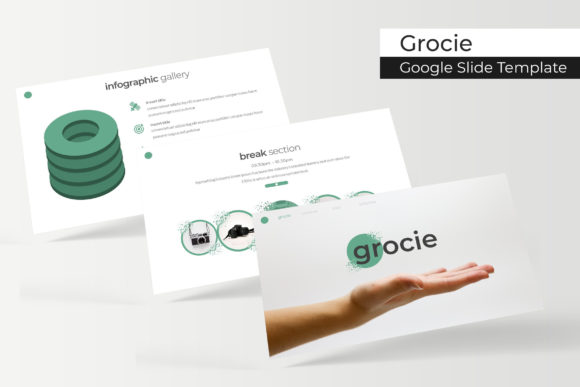
The visual appeal of the Grocie - Google Slide Template lies in its balance of modern typography and clean structure. It avoids the cluttered look of many generic templates, focusing instead on white space and hierarchy. This approach to modern typography ensures that your content breathes, making it easier for your audience to digest the information presented.
Designed for Real-World Applications
The true value of a premium font or design asset is measured by its utility. The Grocie template is built with practical applications in mind, making it a versatile tool for a wide range of users.
- Brand Identity and Strategy: For small business owners, maintaining visual consistency is crucial. You can use these slides to present brand guidelines, mission statements, and core values to your team or stakeholders.
- Marketing and Sales: Marketers will find the layout ideal for quarterly reports, campaign proposals, and social media strategy decks. The clean design helps emphasize key metrics and calls to action without distraction.
- Portfolios and Case Studies: Designers and agencies can leverage the gallery and portfolio slides to showcase their best work. The picture placeholder feature allows for seamless integration of high-resolution images, ensuring your creative projects look pixel-perfect.
- Educational Content: Educators and content creators can use the section break slides to organize lessons or workshops logically, guiding the audience through a structured learning path.
Streamlining the Design Workflow
Efficiency is key in the fast-paced world of digital content. The Grocie template is engineered to save you hours of design time through intuitive functionality. The slides are resizable and editable, allowing you to adapt the template to widescreen formats or standard aspect ratios with ease.
Perhaps the most user-friendly feature is the drag & drop capability based on Master Slides. This means that the structural integrity of the design is maintained even when you swap out images or rearrange elements. You don't need to be a design expert to achieve professional results. The handcrafted infographics included in the package are particularly valuable for breaking down data. Instead of building charts from scratch, you can populate these pre-designed vectors with your own numbers, turning raw data into a compelling visual story.
Practical Considerations for Implementation
When integrating a new design asset into your workflow, it is important to consider the technical details. The Grocie package includes 5 PPTX Files and 5 PPTX Widescreen files, ensuring compatibility across different devices and projection systems. Furthermore, the inclusion of a Readme First file and links to free font downloads ensures that you can install the necessary typeface files immediately, preventing any formatting issues when you open the project.
While the Grocie Google Slide Template provides a robust framework, remember that the images used in previews are for illustration purposes only. This is a standard practice that encourages you to inject your own authentic photography or brand-specific graphics, ensuring the final product is uniquely yours. By replacing the placeholders with your own content, you move from a generic template to a bespoke brand identity presentation.
Ultimately, effective visual communication is about removing barriers between your message and your audience. By utilizing a structured, aesthetically pleasing, and highly functional template like Grocie, you ensure that your ideas are received with the professionalism they deserve.