Macana Power Point Template: A Visual System for Modern Presentations
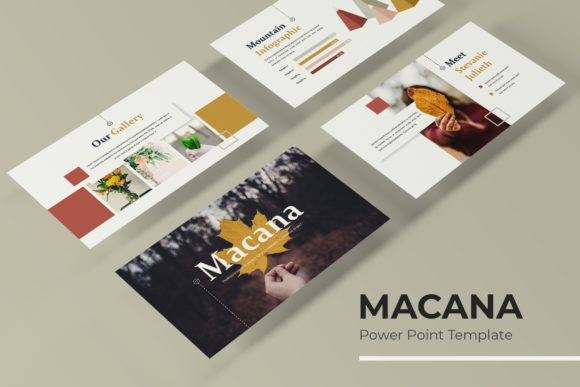
Creating a presentation that truly captures your audience's attention often feels like a battle between design and content. You spend hours fiddling with alignment, searching for the right icons, and trying to create a cohesive look from a blank slide. The Macana Power Point Template was built to solve that exact frustration. It’s not just a collection of slides; it's a complete visual framework designed for professionals who need to communicate complex ideas with clarity and style. With over 150 handcrafted slides across five distinct color schemes, it provides the building blocks for everything from a crucial investor pitch to a dynamic brand workshop.
Beyond Basic Slides: Building a Cohesive Brand Narrative
For entrepreneurs and small business owners, consistency is the bedrock of brand recognition. Your presentation materials should feel like a natural extension of your website, social media, and packaging. This is where the Macana template shines. Each of the five premade color palettes offers a different mood—from sophisticated and corporate to vibrant and creative—allowing you to select a scheme that aligns perfectly with your existing brand identity. The pixel-perfect illustrations and handcrafted infographics aren't just decorative; they are tools for visual storytelling. A well-designed process flow or a clean comparison chart can explain your business model far more effectively than a bullet-point list, helping to build trust and professionalism with every click.
A Practical Toolkit for the Busy Professional
Time is a non-renewable resource, especially for content creators and marketers juggling multiple projects. The Macana template is engineered for efficiency. Based on master slides, every element is fully resizable and editable. The drag-and-drop picture placeholders mean you can swap out images without breaking the layout, maintaining that polished, pixel-perfect look. This practicality extends to its versatility. Need to create a portfolio for a client review? There's a dedicated slide. Planning a section break to pause for questions? The template has a designed slide for that moment. The included widescreen format ensures your content looks sharp on modern displays, eliminating those awkward black bars that can distract from your message.
From Pitch Decks to Social Media Graphics
The applications for a robust template like Macana extend far beyond the boardroom. Imagine using its structured layouts to plan a social media content calendar for your team, presenting a new product line to potential retailers, or outlining a blog editorial strategy for the quarter. The clean, modern typography and balanced white space make it ideal for presenting detailed data without overwhelming your viewers. For those in packaging design or merchandise, you can use the gallery slides to mock up product shots and present design concepts in a compelling, narrative format. The goal is to move from simply showing slides to curating an experience that guides your audience through your logic and vision.
Designing for Clarity and Engagement
Effective visual communication hinges on readability and flow. The Macana template is built on a grid system that ensures alignment and order, which subconsciously signals professionalism to your audience. The font choices included are selected for their clarity on screen, a crucial consideration often overlooked in presentation design. When you pair a clean sans-serif for body text with a complementary serif or script for headings, you create a visual hierarchy that makes information digestible. This thoughtful typography, combined with the strategic use of infographic elements, helps maintain audience engagement. Instead of reading walls of text, your viewers are guided through concepts visually, which aids in retention and understanding.
Making the Most of Your Asset
To truly leverage a tool like this, think of it as a design system. Start by exploring all five color variations to see which best complements your brand's primary and secondary colors. Don't feel confined to using every slide; select the layouts that serve your specific narrative. Test different combinations of the infographic slides to find the most intuitive way to present your data. Remember, the included readme file is your guide to the fonts used—downloading and installing them ensures your presentation renders perfectly, even if you're editing it on a different computer. While the template provides the structure, your content, your story, and your unique perspective are what will make the presentation truly yours. It’s a powerful starting point, but the final impact comes from how you adapt it to your voice and your goals.