Ink. Keynote Template: 150+ Slides for a Polished Presentation
You have a great idea, a solid business plan, or a creative project to share. But when you open your presentation software, the blank slide feels intimidating. A default template won’t capture the unique essence of your brand. This is where the Ink. Keynote Template steps in, offering a robust foundation to transform your ideas into a visually compelling and professional narrative.
Beyond the Blank Slide: A Canvas for Your Brand
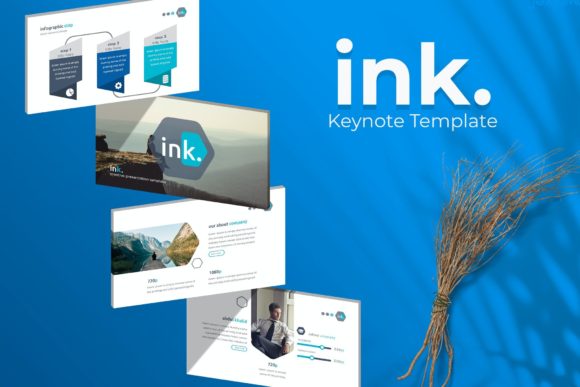
The Ink. Keynote Template isn’t just a collection of slides; it’s a comprehensive design system. With over 150 total slides, it provides a vast library of layouts to structure any presentation, from a detailed investor pitch to a creative portfolio review. The true power lies in its five premade color palettes, each containing 30 meticulously designed slides. This means you can instantly align your presentation with your established brand identity or use these palettes as inspiration to craft a new visual direction. The consistency across all slides ensures your message looks cohesive from start to finish, building a sense of professionalism and trust with your audience.
Practical Design for Real-World Projects
Think about the last time you needed to present a new product line. Instead of spending hours aligning text boxes and searching for icons, you could drag and drop your product images into the pre-built picture placeholders. The template’s master slide system ensures that every element, from font size to color accents, updates globally, saving you countless revisions. For entrepreneurs building a brand, the handcrafted infographic slides are invaluable. You can visualize complex data, timelines, or processes in a way that is both beautiful and easy to understand, turning dry statistics into a compelling story.
This template is built for creators who value their time. Whether you’re a marketing professional preparing a campaign recap, a blogger designing a media kit, or a small business owner outlining a service package, the structure is already there. The section break slides help organize your narrative logically, while the gallery and portfolio slides are perfect for showcasing work with clarity and impact. Every graphic is resizable and editable, giving you full creative control to make each slide your own without compromising the pixel-perfect quality of the original design.
Integrating Design Assets into Your Workflow
A great presentation template like this functions as a core design asset. It promotes visual consistency, which is a cornerstone of strong brand recognition. When your slides, social media graphics, and marketing materials share a common design language, your audience begins to associate that visual style with your expertise. The Ink. template, with its clean lines and modern aesthetic, serves as a versatile starting point. Its style can be adapted to feel corporate and authoritative or creative and approachable, depending on the color palette and imagery you choose.
Consider the practicalities included in the package. The five .key files correspond to the five color schemes, making it simple to start with your preferred look. The inclusion of a free font download link in the Readme file removes a common hurdle, ensuring typography is accessible and consistent. Remember, the photographs used in the preview are for illustration only—this is your cue to fill the slides with your own unique content, images, and brand assets, making the presentation truly yours.
Making Your Message Memorable
Ultimately, a presentation is a tool for communication. The right template enhances your message rather than distracting from it. By handling the heavy lifting of layout and design, the Ink. Keynote Template allows you to focus on what you want to say. The clean, modern typography ensures readability, while the structured layouts guide your audience’s attention. This thoughtful design leads to better audience engagement, as viewers can easily follow your argument and appreciate the visual care put into the presentation.
Before you finalize your slides, test them in presentation mode. Check the flow from one section to the next. Ensure your key points stand out on the infographic and portfolio slides. Use the consistent color palette to highlight calls to action or important data. This level of polish demonstrates a deep commitment to your work and respect for your audience’s time, making your ideas more persuasive and your brand more memorable.